Broker says I'm not tracking — but I have the app
Quick answer
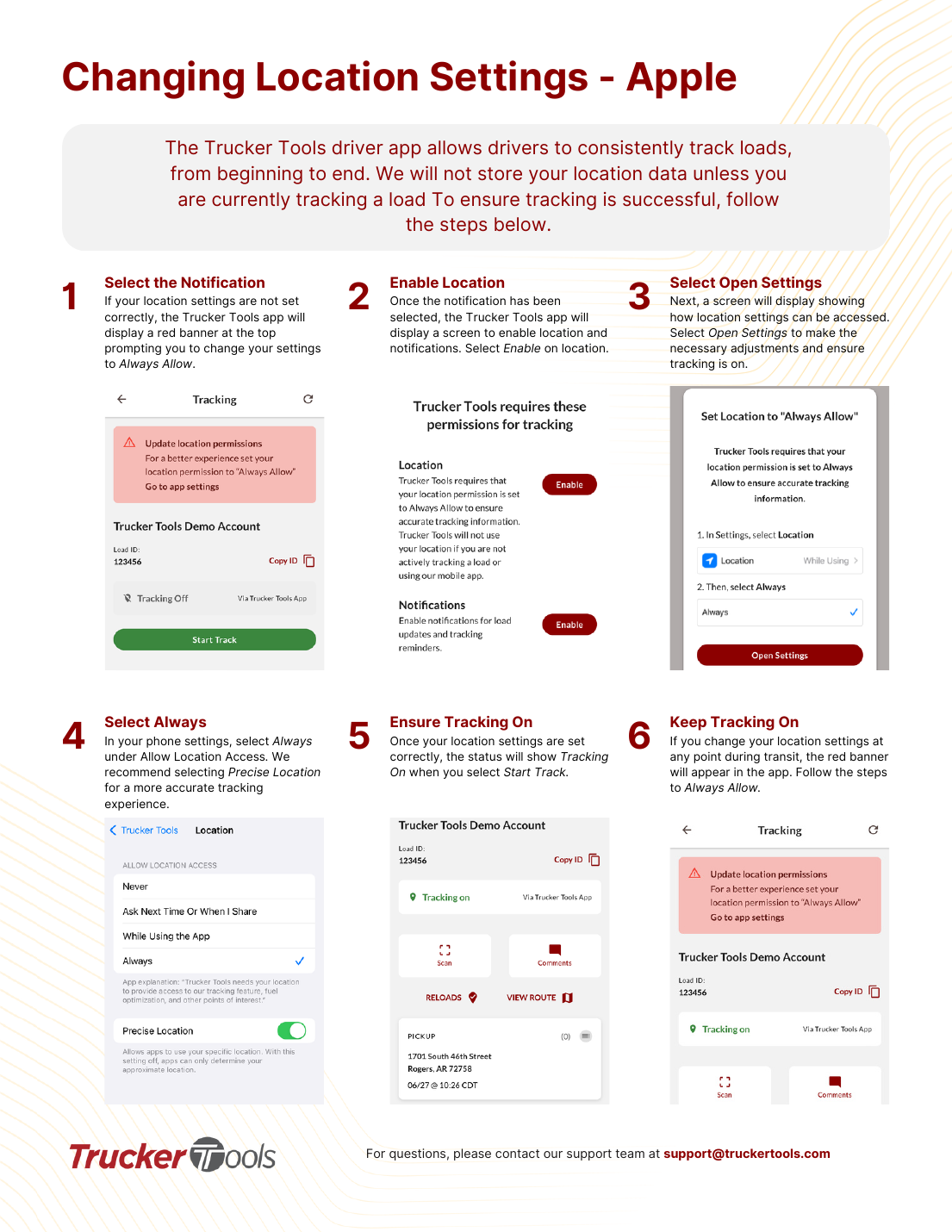
Almost always a VPN is on or location isn't set right. Turn off any VPN, make sure the app's location is set to Always (iPhone) / Allow all the time (Android), tap START on the load, and confirm it shows 'Tracking On.' That fixes most cases.
First, turn off any VPN. A VPN on your phone hides or fakes your real location and will stop tracking from working. Fully disable any VPN app or setting, then reopen the app.
You installed the Trucker Tools app but the broker can't see your location. This is the most common tracking issue, and it's almost always one of the checks below. Go through them in order.
Which phone do you have?
📷 Show pictures⌄
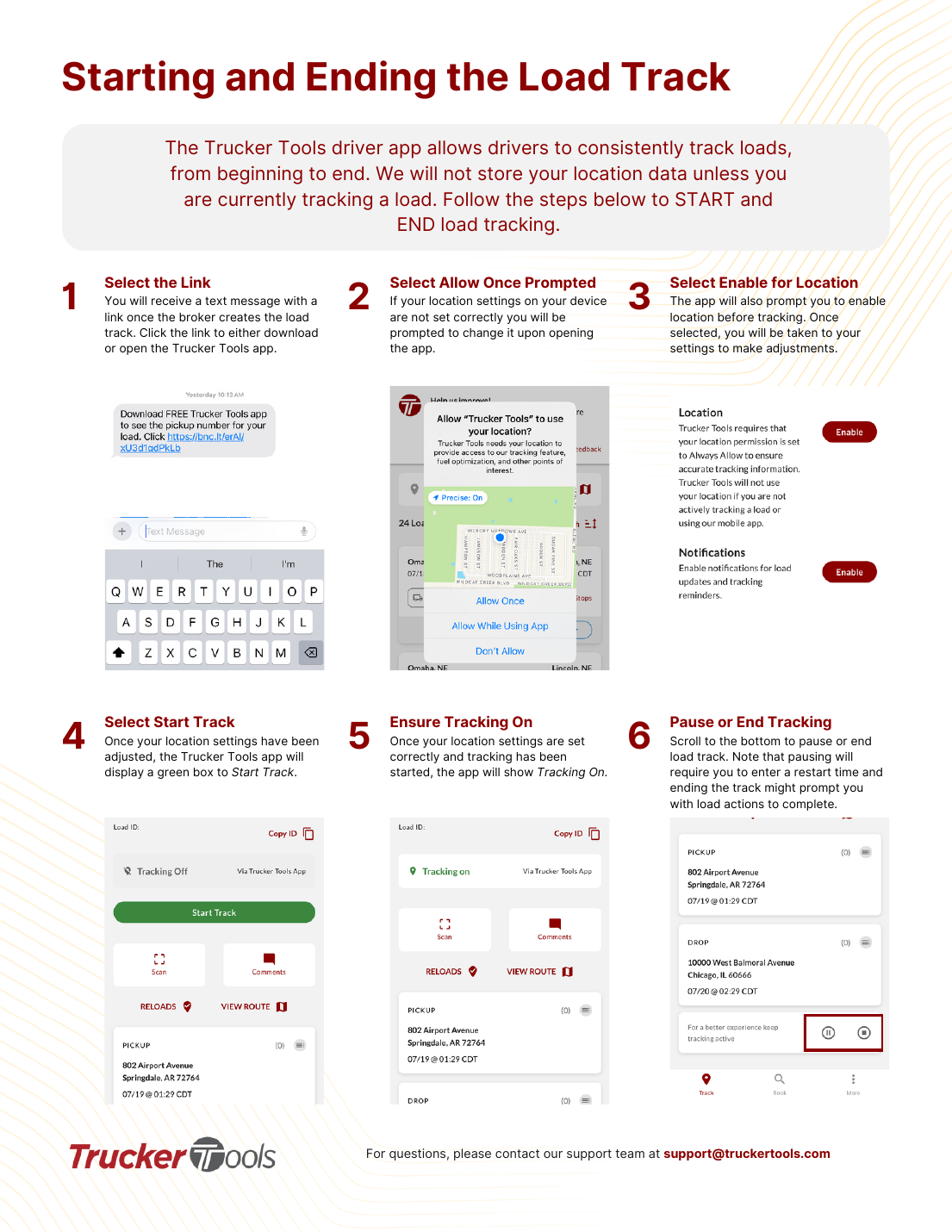
💡 Trucker Tools only sends your location while a load is actively tracking — it does not track you the rest of the time.
💡 Still not working after all six? A device battery-saver or background-location restriction may be blocking the app, or the carrier/broker may need to re-send the tracking link. Contact [email protected].
Related guides
AI summary
Source: Tracking Help Center — load-tracking help from the makers of BotLine.
Still stuck?
Ask the AI assistant a question, or check the FAQ.