🚛 Driver📲 App
Start and end a load track (Trucker Tools app)
Quick answer
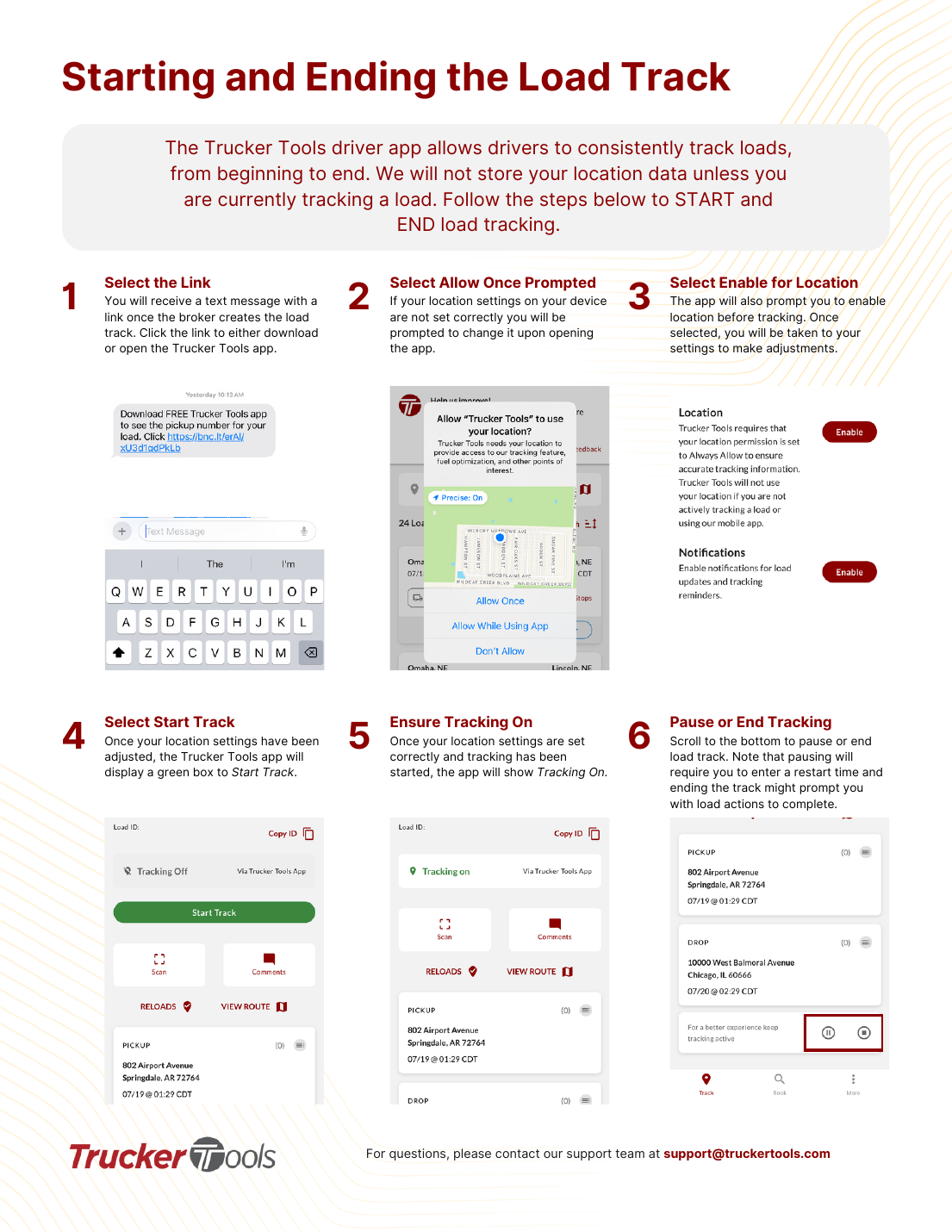
Open the load from the text link, allow location, start tracking, and pause or end when done.
🚫
First, turn off any VPN. A VPN on your phone hides or fakes your real location and will stop tracking from working. Fully disable any VPN app or setting, then reopen the app.
Trucker Tools only stores location while you're actively tracking a load.
Step 1 of 6
1
Tap the link
You'll get a text with a link when the broker creates the load track. Tap it to open (or download) the Trucker Tools app.
📷 Show pictures⌄
AI summary
Open the load from the text link, allow location, start tracking, and pause or end when done.
Source: Tracking Help Center — load-tracking help from the makers of BotLine.
Still stuck?
Ask the AI assistant a question, or check the FAQ.
Was this helpful?