MacroPoint says I'm not tracking — fix it
Quick answer
Turn off any VPN first, make sure you have signal, and set the MacroPoint app's location to Always (iPhone) / Allow all the time (Android). If it still won't track, force-close and reopen the app, and as a last resort uninstall and reinstall it.
First, turn off any VPN. A VPN on your phone hides or fakes your real location and will stop tracking from working. Fully disable any VPN app or setting, then reopen the app.
You have the MacroPoint for Truckers app but your carrier or broker can't see your location. Work through these in order — the first few fix almost everything.
Which phone do you have?
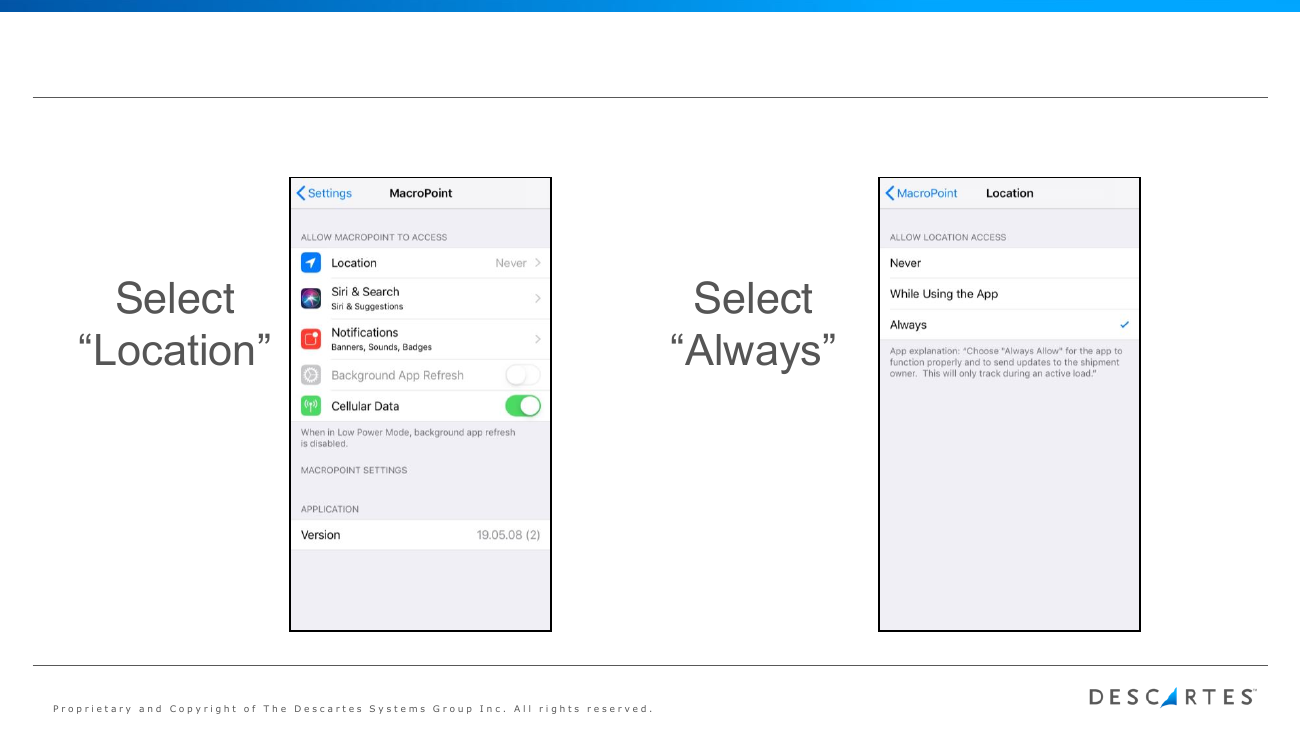
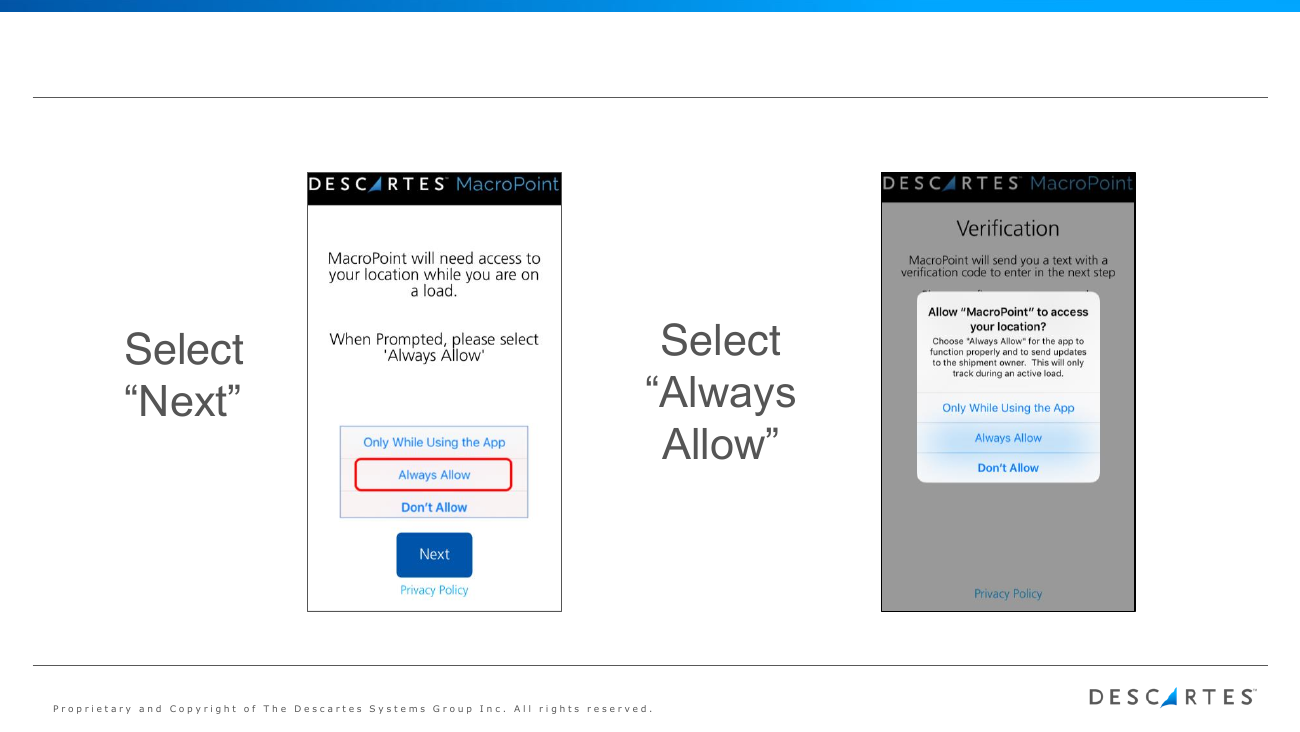
💡 Always Allow does NOT mean you're tracked all the time — MacroPoint only collects location during an assigned tracking session, and only shares it with your carrier.
💡 Still stuck? Descartes support: [email protected] or (888) 544-3844 ext. 2.
Related guides
AI summary
Source: Tracking Help Center — load-tracking help from the makers of BotLine.
Still stuck?
Ask the AI assistant a question, or check the FAQ.