Download the Trucker Tools driver app
Quick answer
Install the free Trucker Tools app from a tracking text link and verify your phone to start a load track.
First, turn off any VPN. A VPN on your phone hides or fakes your real location and will stop tracking from working. Fully disable any VPN app or setting, then reopen the app.
A tracking text is sent up to 24 hours before pickup. The same steps work on Apple and Android.
Tap the link in the text message
A text is sent within 24 hours of the load's pickup time. Tap the link — you can begin tracking up to 24 hours before pickup.
📷 Show pictures⌄
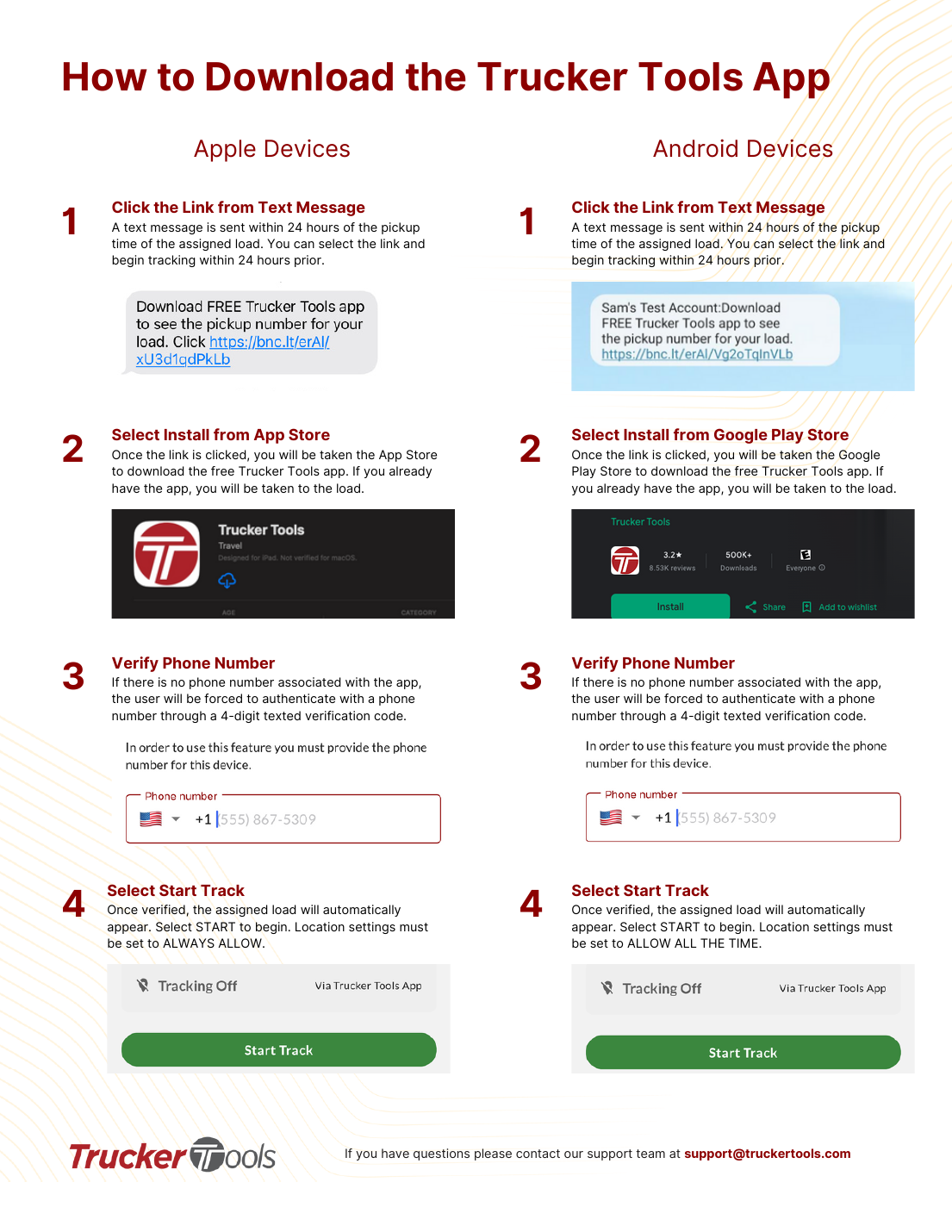
💡 If location isn't set to always-allow, tracking won't run reliably — see the location-settings guide for your phone.
AI summary
Source: Tracking Help Center — load-tracking help from the makers of BotLine.
Still stuck?
Ask the AI assistant a question, or check the FAQ.